
Key Points:
- Smart home technology enhances safety in assisted living by using sensors, voice prompts, and automated devices to prevent falls, cooking accidents, and wandering.
- Motion lights, stove shut-offs, and door alerts catch risks early.
- These tools support independence, reduce emergency calls, and help staff act faster without disrupting routines.
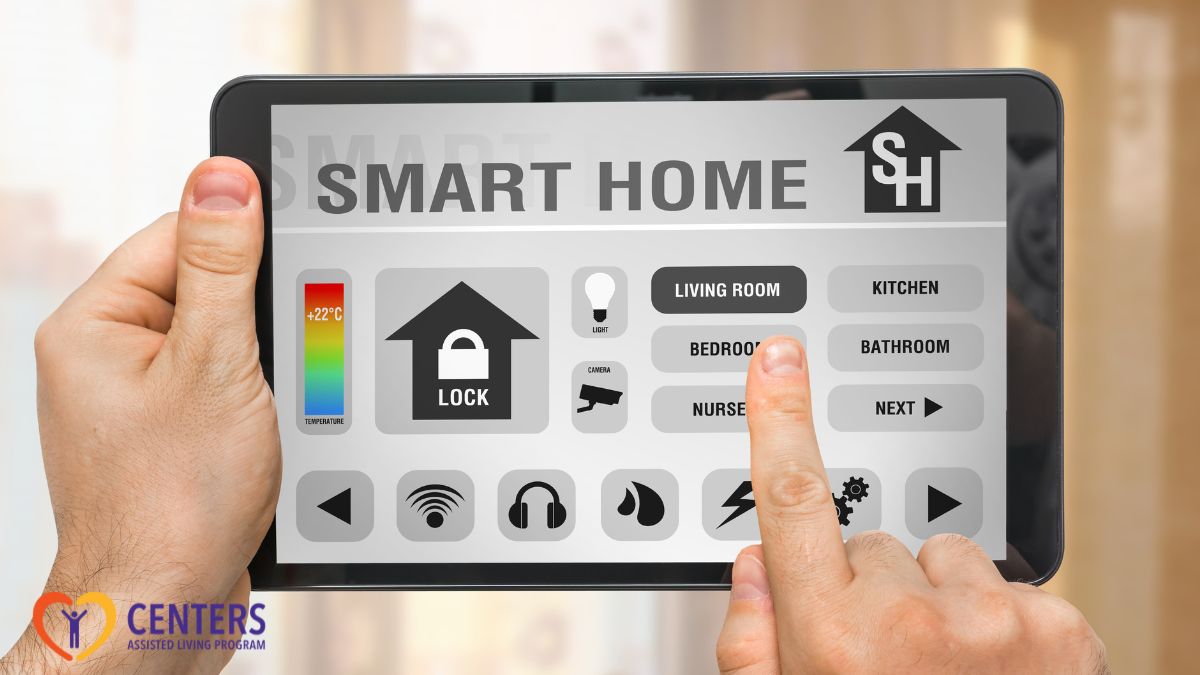
Falls, kitchen mishaps, and missed meds turn small gaps into emergency calls. Smart home technology in assisted living adds quiet layers of safety without taking away choice. Sensors see patterns, devices voice reminders, and alerts reach the right people fast. You get practical prevention, not more noise.
Below, we map real risks to specific tools so teams can adopt tech that protects daily life and keeps routines steady.
 What Safety Risks Need Attention First?
Daily risk shows up in predictable ways. Residents lose balance in bathrooms. Stoves get left on during a chat. A person with memory loss heads for the elevator. Smart systems help by spotting early signals and prompting quick action.
- Falls drive the largest share of injury for older adults. About one in four adults 65+ reports a fall each year, and falls remain the leading cause of injury in this age group. Higher levels of care in assisted living add supervision, mobility assistance, and medication reminders to lower that risk
- Cooking hazards are another major source of preventable harm. Cooking accounts for roughly two in five reported home fires and a similar share of home fire injuries.
- For residents seeking dementia care in assisted living, wandering risk stays high. About six in ten people with dementia will wander at least once, and many do so more than once.
Smart home devices for seniors target these patterns with simple triggers. Motion confirms movement after a bathroom visit. A cooktop senses an empty pan and powers down. A door sensor flags a late-night exit to staff before a resident reaches the street.
Helpful examples:
- Bathroom motion and floor sensors: Confirm safe exits and detect prolonged inactivity.
- Ranged cooking shut-offs: Pause heat when no pan is detected or when timers expire.
- Entry and bed-exit sensors: Alert staff or family when wandering patterns begin.
Use short checklists at move-in to match devices to risk, then update after any incident review.
How Smart Home Technology in Assisted Living Works Day to Day
Smart home technology in assisted living connects three pieces: sensors, a hub or platform, and clear response rules.
- Sensors capture changes in motion, doors opening, bed-exits, temperature, or water.
- The hub routes alerts to phones, wearables, hall dashboards, or call stations.
- Response rules define who gets notified and what happens next.
Simple rules work best.
- If a resident gets up at 2 a.m., the bed sensor logs the event, a night-light turns on, and a soft voice cue says, “Bathroom light on.”
- If the person has not returned in three minutes, the system prompts staff. If a stove stays on without pan contact, heat cuts and a chime sounds.
- If a door sensor trips on a secured memory care floor, the unit receives a silent message, and a camera near the exit opens a live view.
Products for elderly living alone often inspire these designs. The same features scale well in apartments or small households inside a community. Voice assistants simplify reminders. Smart locks remove the need to carry keys. Leak detectors protect lower floors.
Medication support also fits here, and 24/7 professional support uses timed dispensers, check-ins, and alert routing so missed doses get flagged fast instead of hours later.
For residents with memory loss, wandering awareness adds a second guardrail. Many people with dementia will attempt to leave at least once, so door and bed-exit sensors create early warnings that prevent long searches.
Core building blocks:
- Sensors: Motion, bed-exit, contact, moisture, temperature, smoke, CO.
- Actuators: Smart plugs, valves, dimmers, and stove controllers.
- Hubs and apps: Unified dashboards with staff and family views.
- Protocols: Who receives alerts, time to respond, and when to escalate.
Which Safety Devices Reduce Risk the Most?
Technology works when it maps directly to a risk. Start with threats that cause the most harm or disruption, then layer in comfort features.
Safety devices for elderly living alone transfer well to a community setting because they remain simple and direct. Choose versions that are rated for multi-unit buildings and support role-based access. Memory care assisted living already uses secured layouts, routine cues, and wander alerts to keep people safe without relying on loud alarms
High-impact picks:
- Fall detection wearables: Detect hard falls and trigger two-way voice checks.
- Bed-exit and pressure mats: Alert on prolonged absence and pair with lights.
- Smart stove controllers: Cut heat when pans are absent or timers expire.
- Interconnected smoke and CO alarms: Share alerts across the floor for faster response.
- Water leak sensors and smart valves: Stop leaks early and prevent unit-to-unit damage.
- Wandering protection: Door contacts, elevator call limits, and geofenced notifications.
- Voice assistants with routines: Provide reminders, lights, and simple check-in prompts.
Smart home for seniors should avoid constant beeps that create alarm fatigue. Use visual cues and gentle voice prompts first. Reserve loud alarms for true emergencies. Build success by piloting with three to five residents, then expanding based on feedback.
Technology to Help Seniors Live Independently
Adoption works best when teams start with one resident’s daily flow and build from there. Map a normal day, find two friction points, and solve them with the least gear possible. Add more only if benefit is clear.
Begin with a short assessment.
- Identify fall history, memory loss, cooking use, and bathroom needs.
- Choose devices that fit those exact risks.
- Confirm Wi-Fi coverage on each floor and ensure power backups for gateways.
- Keep logins simple and stored in a shared password manager.
- Set who sees what.
Nursing may need live dashboards. Families may only need push alerts after certain hours.
Pilot the system for two weeks.
- Track alert counts, response times, and false alarms.
- Talk to residents about prompts that felt helpful versus annoying.
- Adjust timing windows, alert recipients, and volumes.
- Set written protocols for escalation so staff can act fast without second-guessing.
For products for elderly living alone that enter the community, verify UL, FCC, or equivalent safety ratings and device support timelines. Use hubs that allow vendor-neutral devices so you can swap parts without replacing the whole stack. Add QR code labels to devices that link to a one-page “how to reset” guide.
Adoption checklist:
- Assess: Fall history, memory, vision, cooking, bathroom needs.
- Select: Minimum devices that solve one or two clear risks.
- Pilot: Two weeks per floor, measure alerts and refine prompts.
- Train: Five-minute drills per shift, quick cards at nurse stations.
- Review: Monthly data review, resident feedback, and device health.
 What About Cost, Privacy, and Resident Consent?
Most sensors are inexpensive; hubs and platform fees set the monthly spend. This is similar to how assisted living costs 2025 break down into base housing plus care-level fees and add-ons like medication programs.
Start small. Replace single-purpose systems with a unified platform once benefits are visible. Grants, tax credits, or local aging services may offset parts of the setup.
Privacy stays central.
- Use opt-in settings per resident and per device.
- Limit cameras in private spaces.
- Prefer motion, door, or bed sensors that signal activity without recording video.
- Give residents easy on/off controls.
- Provide families with read-only access that honors resident choices.
Consent requires clear language.
- Explain what each sensor does, where data goes, and who gets alerts.
- Keep access role-based. Audit logins and downloads.
- Offer print and digital consent forms in simple English.
Tools for elderly living alone often come with helpful consent templates; adapt them for community use and add your escalation policies.
Data retention should match purpose.
- Keep event logs only as long as needed for care planning and incident review.
- Train staff to handle alerts without sharing details in public spaces.
- Review vendor contracts for data ownership and breach terms.
Setup Checklist: A Smart Home for Seniors That Actually Gets Used
A practical setup avoids gadget overload. Choose devices that automate key safety tasks with minimal taps. Build routines that residents and staff remember under stress.
Step-by-step plan:
- Stabilize lighting and movement: Install motion-activated pathway lights and soft night-lights in bedrooms and bathrooms.
- Cover cooking risk: Add smart stove controllers or timed outlets on countertop appliances.
- Detect water early: Place leak sensors under sinks, behind toilets, and near water heaters.
- Link life-safety alerts: Use interconnected smoke and CO alarms tied to staff dashboards.
- Support routines: Use voice assistants for meds, hydration, and activity reminders.
- Simplify access: Add keypad or fob smart locks for staff entry tracking and no key hassles.
- Plan backup: Keep spare sensors, batteries, and a quick reference card in each unit.
Smart home technology in assisted living should feel like an invisible helper. Choose defaults that reduce taps. Set gentle prompts first. Keep the option to silence non-emergency alerts during rest hours. When a resident moves rooms, transfer devices and settings to keep habits stable.
 Frequently Asked Questions
Why is smart home technology important in assisted living facilities?
Smart home technology is important in assisted living facilities because it reduces safety risks and supports independence without complex routines. Motion lights, stove shut-offs, and sensors lower fall and fire risk while helping staff respond faster. These tools extend care capacity and protect residents with memory loss or limited mobility.
When is smart home technology needed in assisted living facilities?
Smart home technology is needed in assisted living facilities when a resident shows repeat safety risks like falls, missed medications, or wandering. Bathrooms, kitchens, and exits should be equipped first due to higher danger. For dementia, early use of sensors prevents harm. Start with a small pilot, then expand.
Is smart home technology in assisted living facilities effective?
Yes. Smart home technology in assisted living facilities is effective by reducing incidents and speeding up response times. Motion lights and stove shut-offs lower fall and fire risks. Door sensors reduce wandering episodes. Dashboards tracking alerts and resolutions help staff act faster and improve safety across high-risk areas.
Put Smart Safety Into Practice
Smart home technology for seniors in New York helps residents live more safely with lights, sensors, and routines that reduce everyday risks.
At Centers Assisted Living, we weave practical devices into daily care so prompts feel natural and alerts reach the right team fast. Reach out to explore a simple plan that matches your priorities, shows expected gains, and sets clear follow-through so tech serves people and not the other way around.